Connect PriceLabs
Five minutes of setup. A portfolio-level read in return.
Add Pacer to your PriceLabs account through their free Expert program and we go past the market view: a listing-by-listing analysis of where we think your portfolio is leaving revenue behind. No cost, no obligation, revocable any time.
A listing-level read, not a market average
The market benchmark tells you where you rank. With PriceLabs access we can go a level deeper: min-rates, gap nights, seasonality curves, and stay-length settings, listing by listing, and show you where we think the opportunities are.
Free, and you stay in control
The PriceLabs Expert program is built exactly for this. Adding Pacer costs nothing, takes about five minutes, and you can revoke access any time from your PriceLabs settings.
A working session, not a sales call
We come back with specific, defensible opportunities in your own account. Whether or not we ever work together, the read is yours to keep.
Step 1 of 2
Grant Pacer access in PriceLabs.
Everything happens inside your own PriceLabs account. You are adding Pacer as a PriceLabs Expert, a partner role PriceLabs built for exactly this.
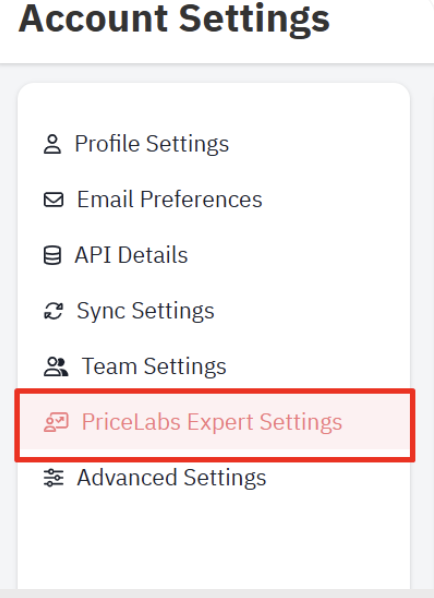
From your Admin PriceLabs account, open Account Settings and click the "PriceLabs Expert Settings" tab.
Do not see PriceLabs Expert Settings as an option in your Account Settings? Email support@pricelabs.co and they can unlock it for your account.
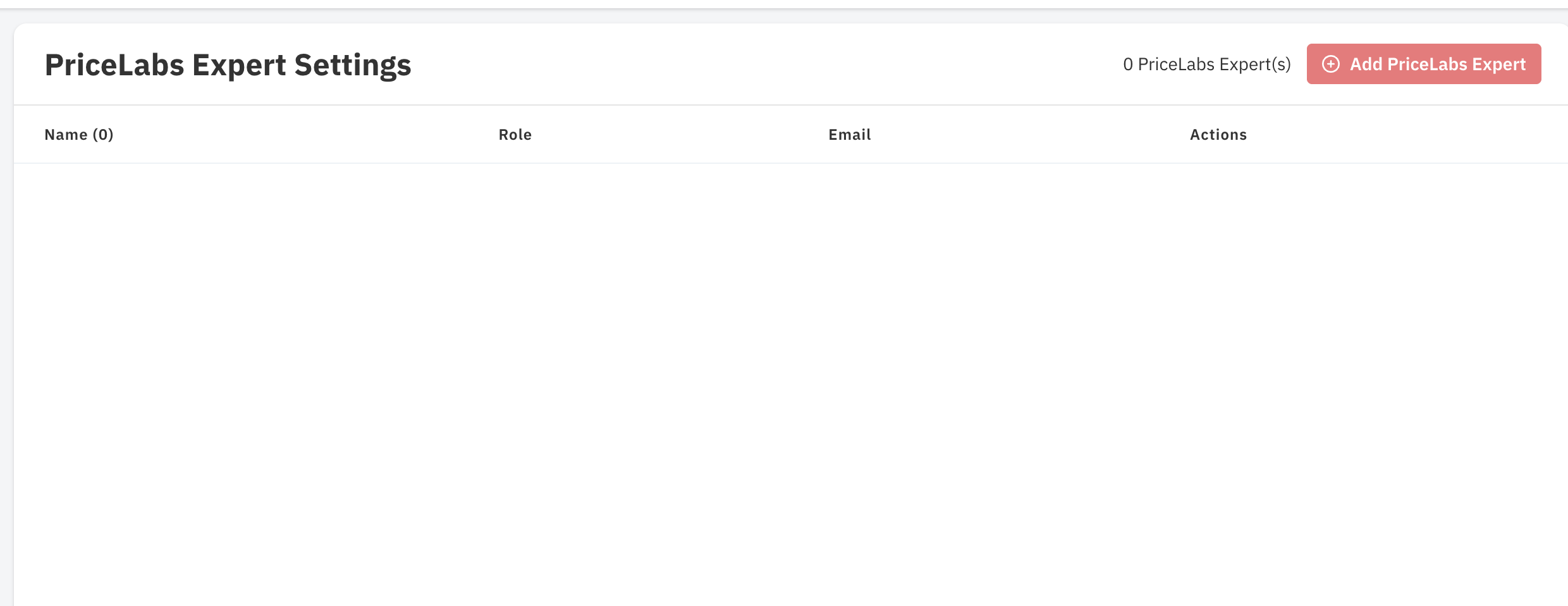
Click "Add PriceLabs Expert" and enter the email Partner@Pacerrev.com.
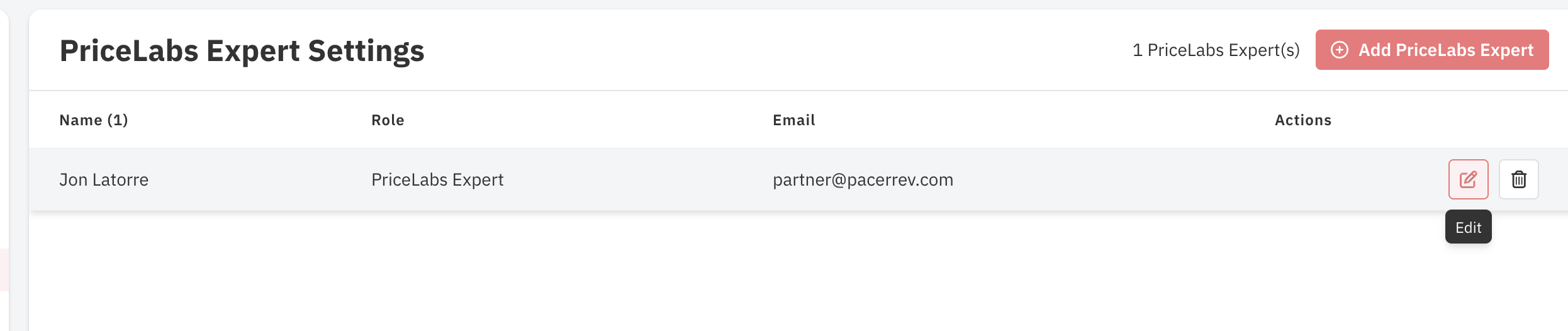
A new row for Pacer will appear. Click "Edit" on the right to open permissions.
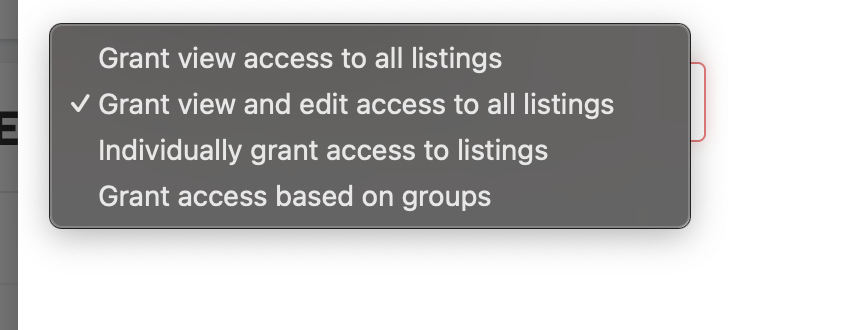
For the first six permission options (where applicable), select "Grant view and edit access to all listings."
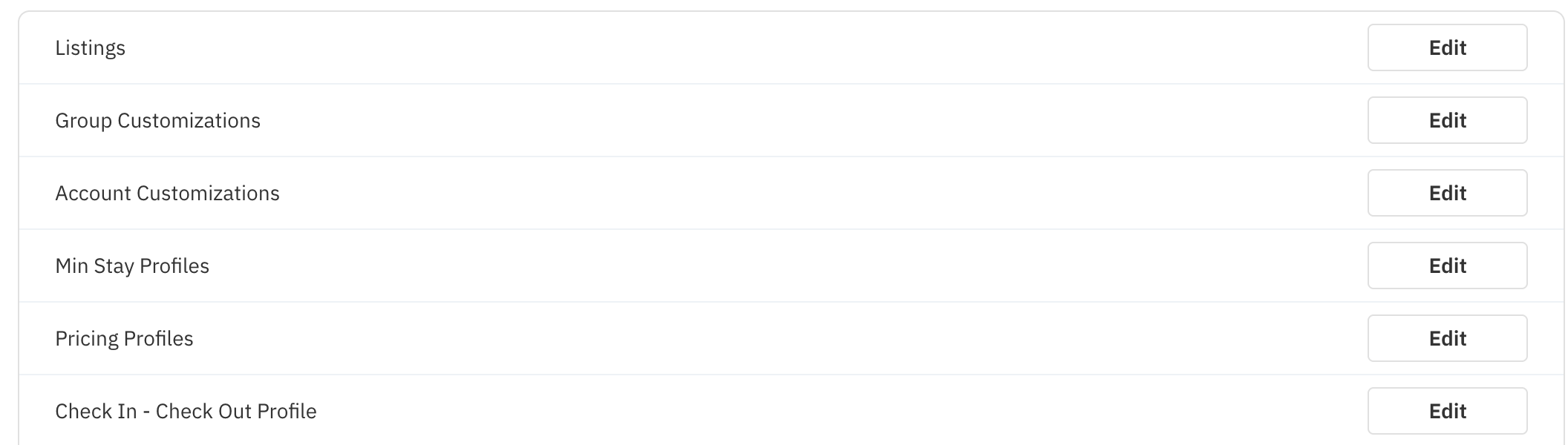
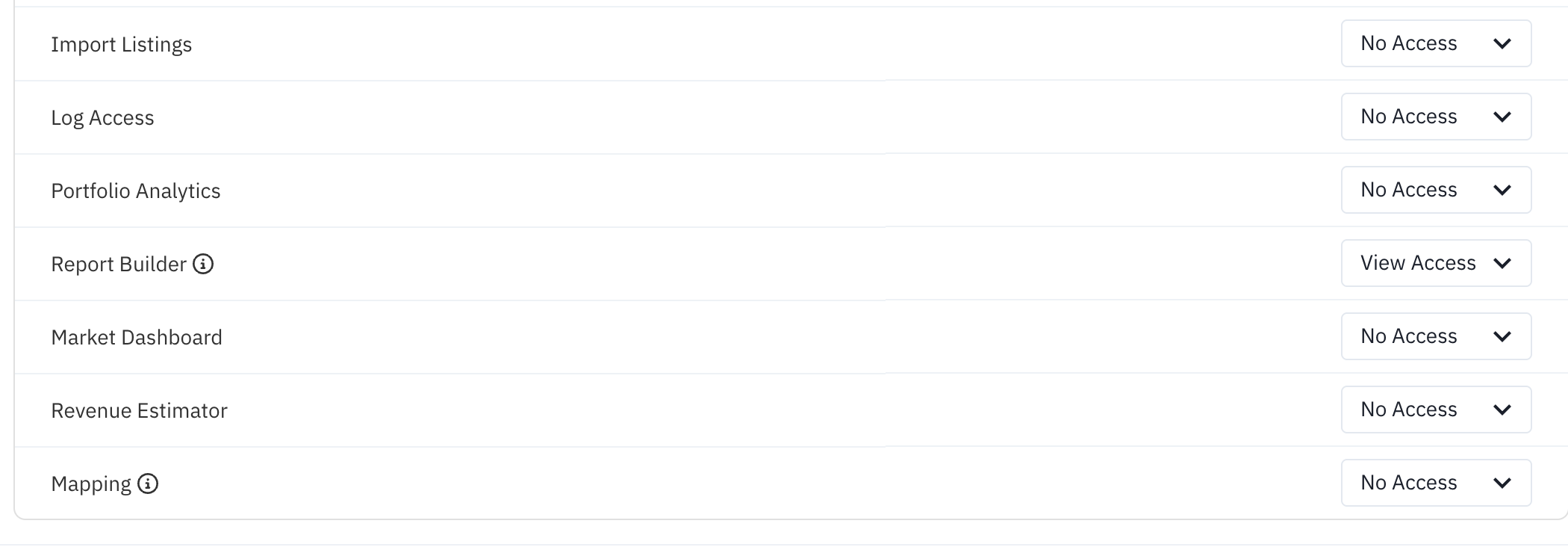
For the remaining seven options (where applicable), select "Access."

Step 2 of 2
Enable Customer API access.
This lets Pacer securely pull pricing recommendations and stay parameters for the analysis. Once enabled, no further action is needed on your side: Pacer accesses the required details as your assigned Expert.
- 1
Log in to your PriceLabs account.
- 2
Navigate to Account Settings.
- 3
Click "API Details."
- 4
Select "Enable."
- 5
When prompted, choose "I Need API Access."
- 6
That is it. Customer API access is now active for your account.
If "API Details" is not visible in your Account Settings, email support@pricelabs.co and request Customer API access.
Note: PriceLabs charges $1 per listing per month for Customer API usage. That fee goes to PriceLabs, not Pacer.
Done with both steps?
Tell us, and we get to work.
The moment you tell us, we confirm the connection and start the analysis, so your read is ready before we talk.
No call booked yet? Book your walkthrough call and we'll go through the read together.